Code in a chat
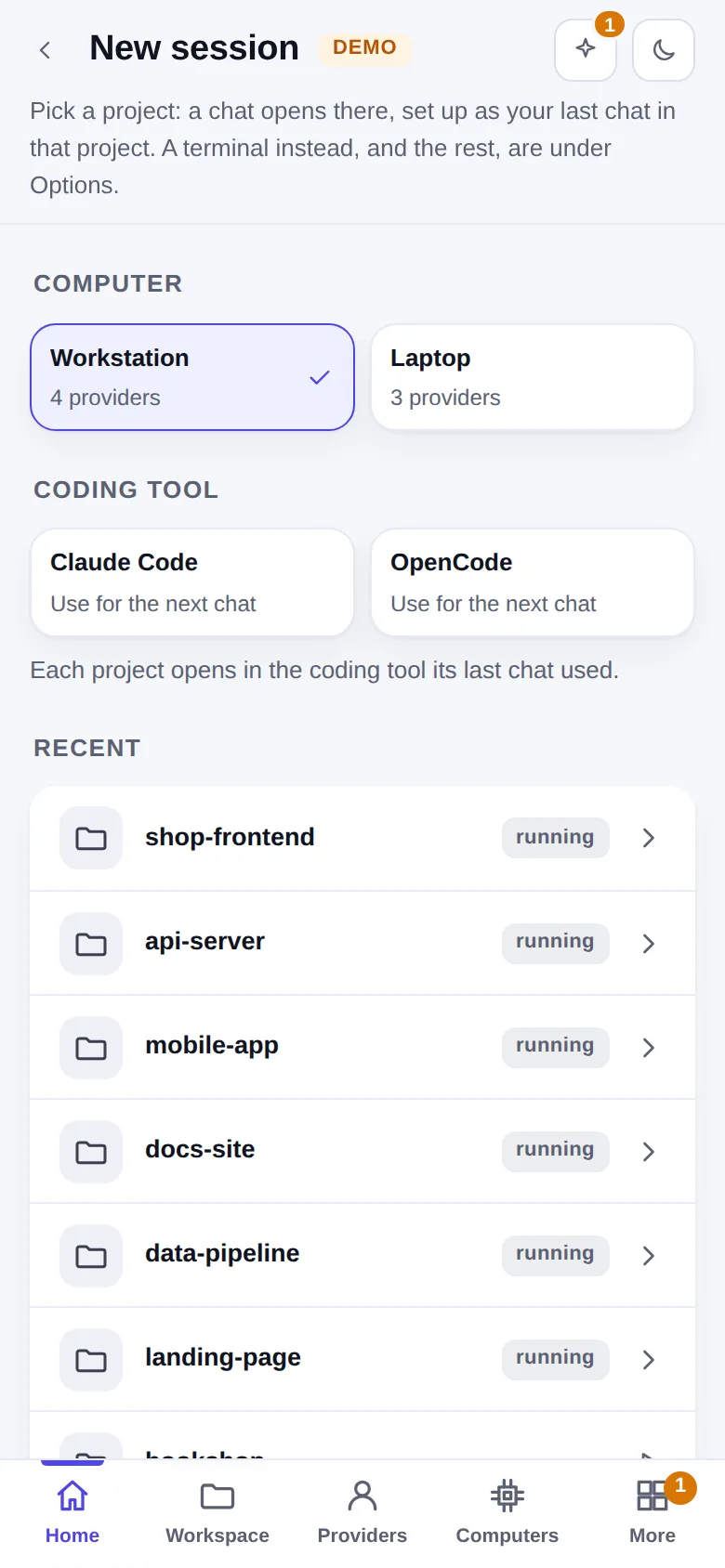
New session on Home (or a project's New session) asks two things at once, App (a chat, like the
Claude Code app) or Terminal, and the coding tool, then starts in the project you pick. The App takes the
provider, mode, model and effort of the last session there (the first time: Settings → New-session defaults).
From a terminal on that computer, hop chat [folder] prints the chat's address and opens it in the browser.
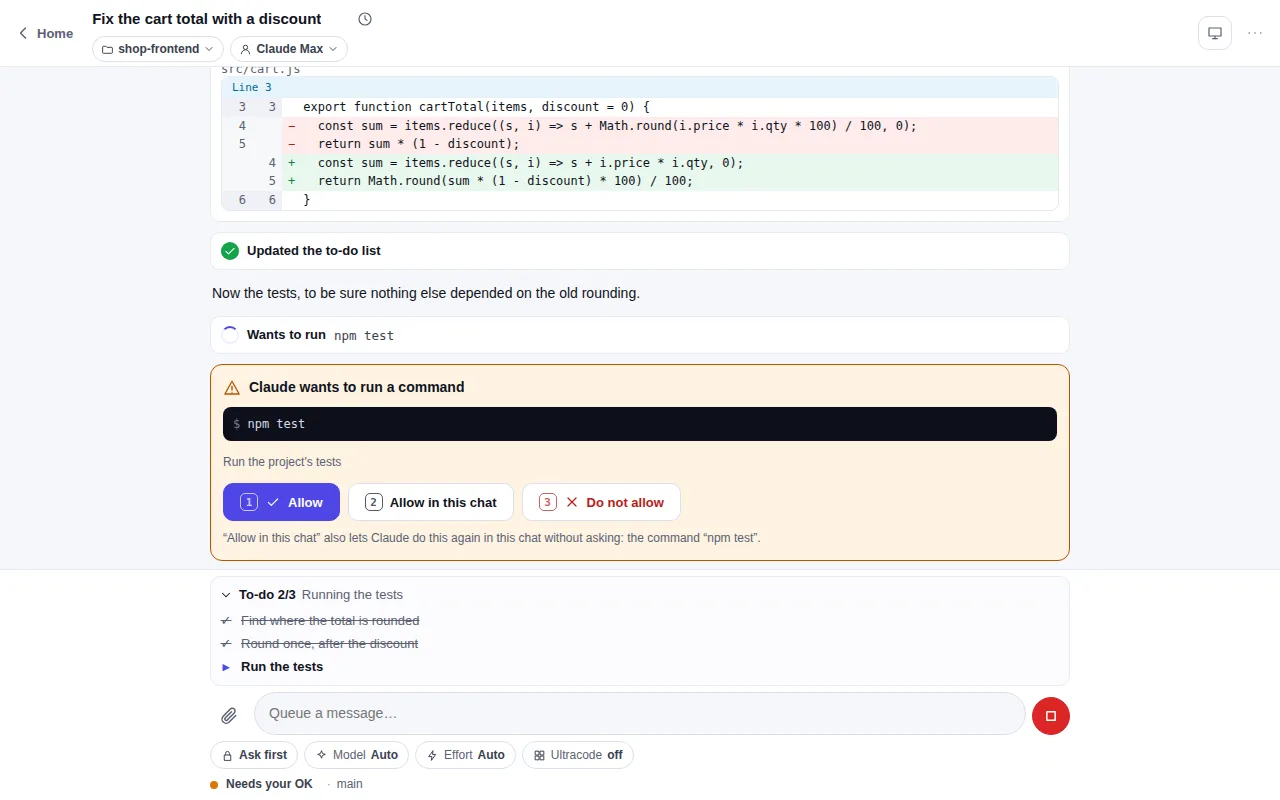
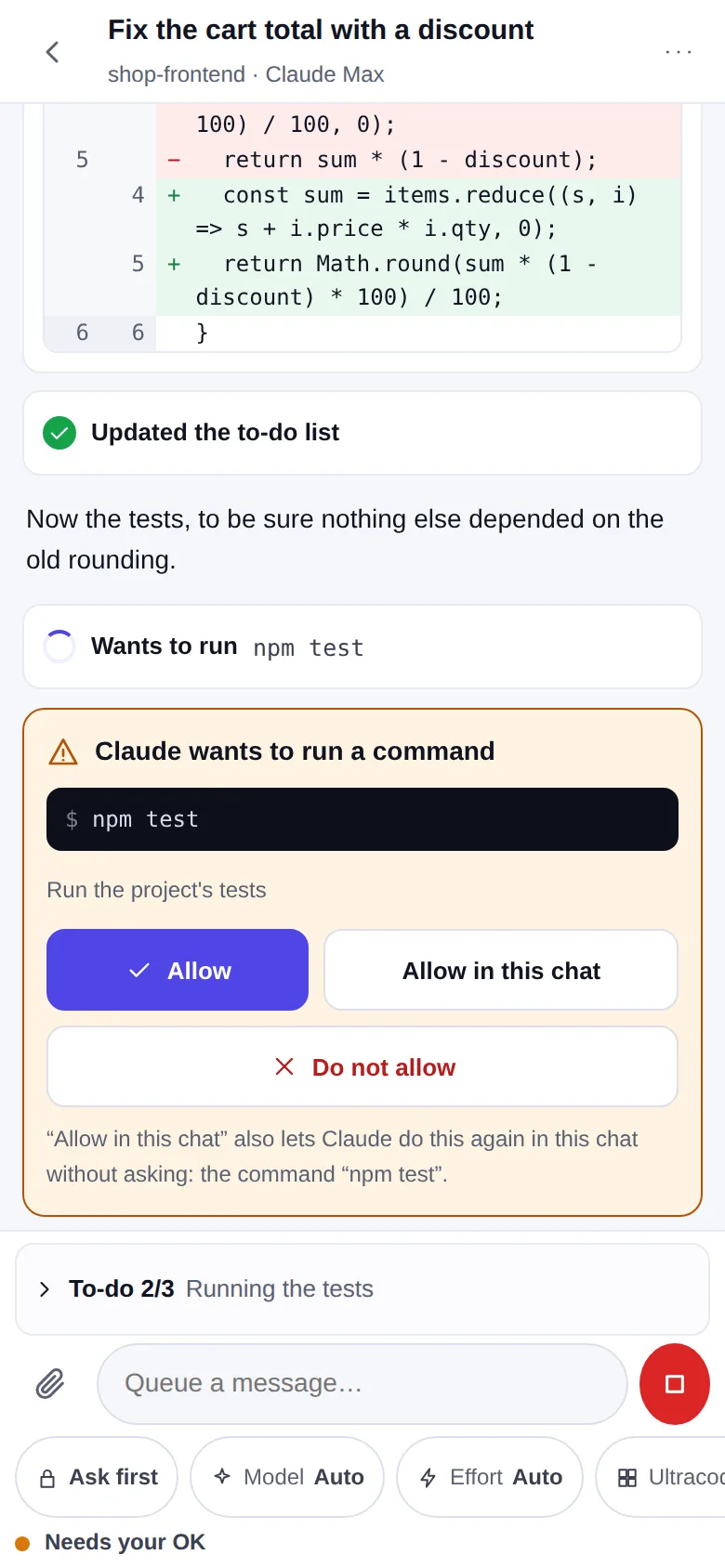
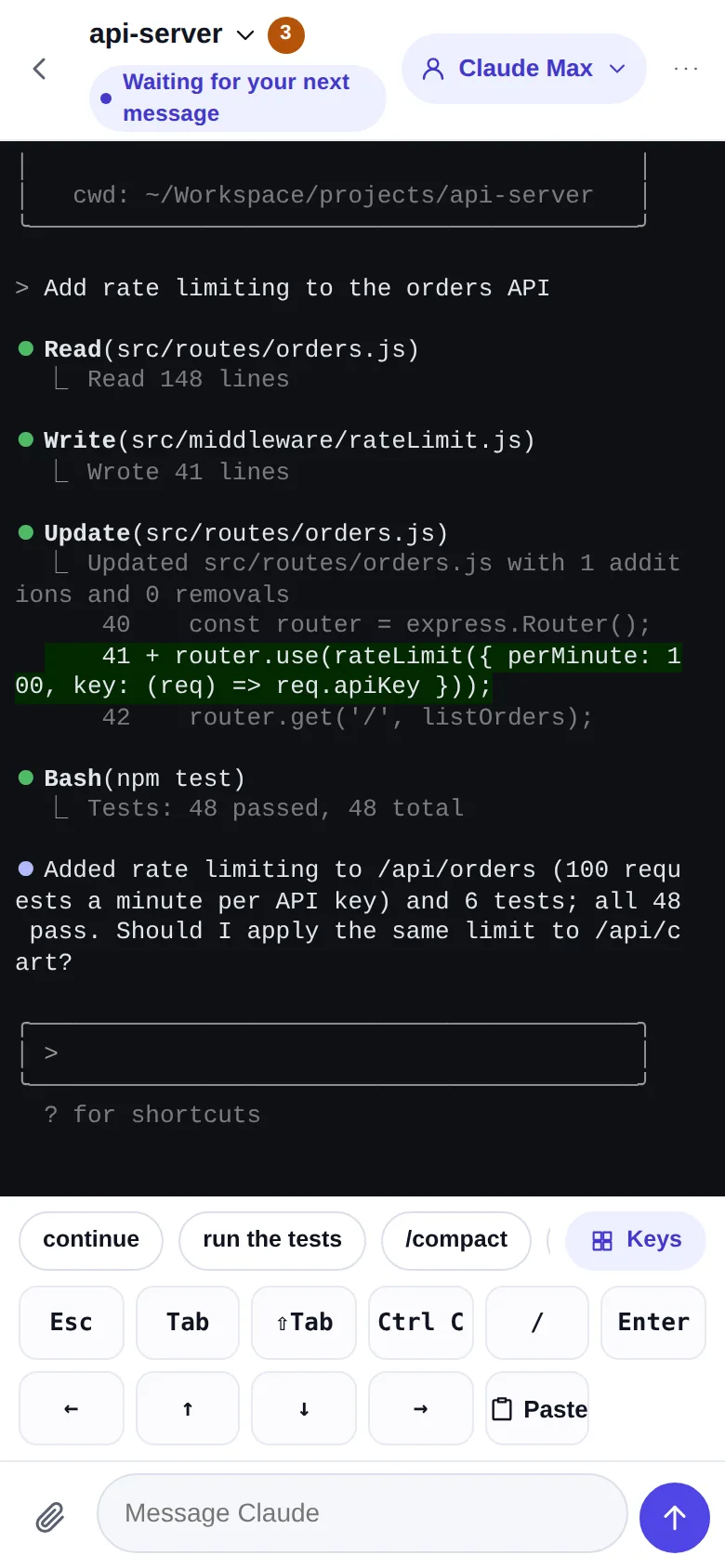
- What you see: the reply as it is written, thinking, each tool call on one line with its diff, the to-do list, subagents as a tree under the call that started them, background tasks with their progress.
- What you control: the permission mode, the model, the effort and ultracode are chips over the message box
and change without a restart. A message typed while it works is queued, and can be taken back. Stop ends
the turn; background tasks go on until you stop them.
/lists the commands and skills,@the folder's files; a picture can be pasted or dropped in. The status line says what runs now, the branch, the context used and the plan's limits where the provider reports them. On a wide screen the session rail beside the chat shows the environment, the folder's changes, the context and the background tasks (Hide session rail in the title bar). - As in the Claude Code desktop app: the modes are Manual, Accept edits, Plan, Auto and Bypass permissions; the caret beside the title opens the session menu (Transcript view Normal, Thinking or Verbose, Open in, Archive, Copy branch name); the title bar has Open in Terminal, Changes and Files, and its ⋮ menu Background tasks once there are some. Dollars per turn show only in Verbose and only for a provider billed by use.
- Its OKs: Allow, Allow in this chat (stops the asking for that kind of call until the chat closes; nothing is written to a settings file) and Do not allow, in the chat and on its card on Home. In the mode Bypass permissions Claude Code asks nothing except before some deletes; Hoprig answers for it only when the delete is plainly inside the session's folder. A question to you, a plan to approve, what your own settings insist on and any other delete Claude Code stops for still come to you, and a "deny" rule of your settings stays denied in every mode.
- One place at a time: Open in → Terminal in the session menu takes the conversation to a real
terminal, and Open as chat in a terminal session's menu brings it back. A conversation runs in one process
only: a chat, a terminal session, or
hoptyped by hand in any terminal of that computer. The second one is refused in one sentence that says where the conversation runs and what to do; in a chat, Continue here stops that terminal and goes on in the chat. Files and Changes in the title bar open the editor.
 Tap to enlargeOpen full size
 Tap to enlargeOpen full size
 Tap to enlargeOpen full size
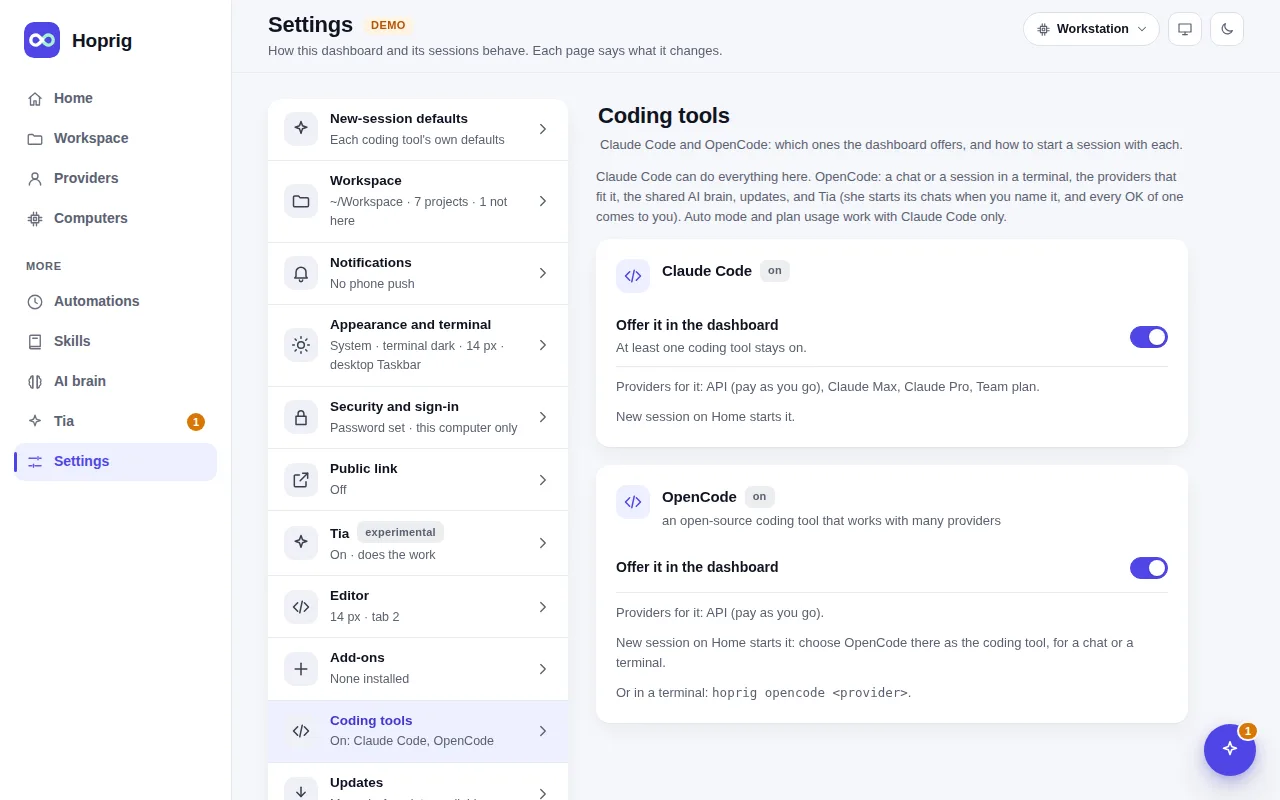
Two coding tools: Claude Code and OpenCode
Claude Code can do everything here. OpenCode is the second coding tool: a chat or a terminal session, the
providers that fit it, the shared AI brain and updates. Turn it on in Settings → Coding tools: Install
puts it into Hoprig's own tools folder at the version this Hoprig is tested with (never globally), and its own
self-update and its makers' free cloud models are switched off. New session then offers it next to Claude
Code and keeps the one you chose last; a project's own New session chooses the coding tool that project used
last. In a terminal: hop opencode [provider].
OpenCode runs only on a provider that speaks its API: an API key or a gateway, never a Claude subscription (a subscription's sign-in is for Claude Code only, always). Auto mode, plan usage and Tia's own thinking are Claude Code's only.
One brain for both
hop workspace link (or Link on the AI brain page) makes every coding tool that is on read the same
global rules, skills and memory from your AI brain, a git repository of your own:
| Rules | Skills | Memory | |
|---|---|---|---|
| Claude Code | ~/.claude/CLAUDE.md → the brain | ~/.claude/skills → the brain | its home memory → the brain |
| OpenCode | its global AGENTS.md → the brain's rules file | ~/.agents/skills → the brain | none of its own: the shared rules tell it where each project's memory is |
Nothing is overwritten: a file or folder that is already there is merged into the brain and kept as a dated backup. Details: docs/WORKSPACE.md.