How do I use Claude Code from my phone with an API key or a gateway?
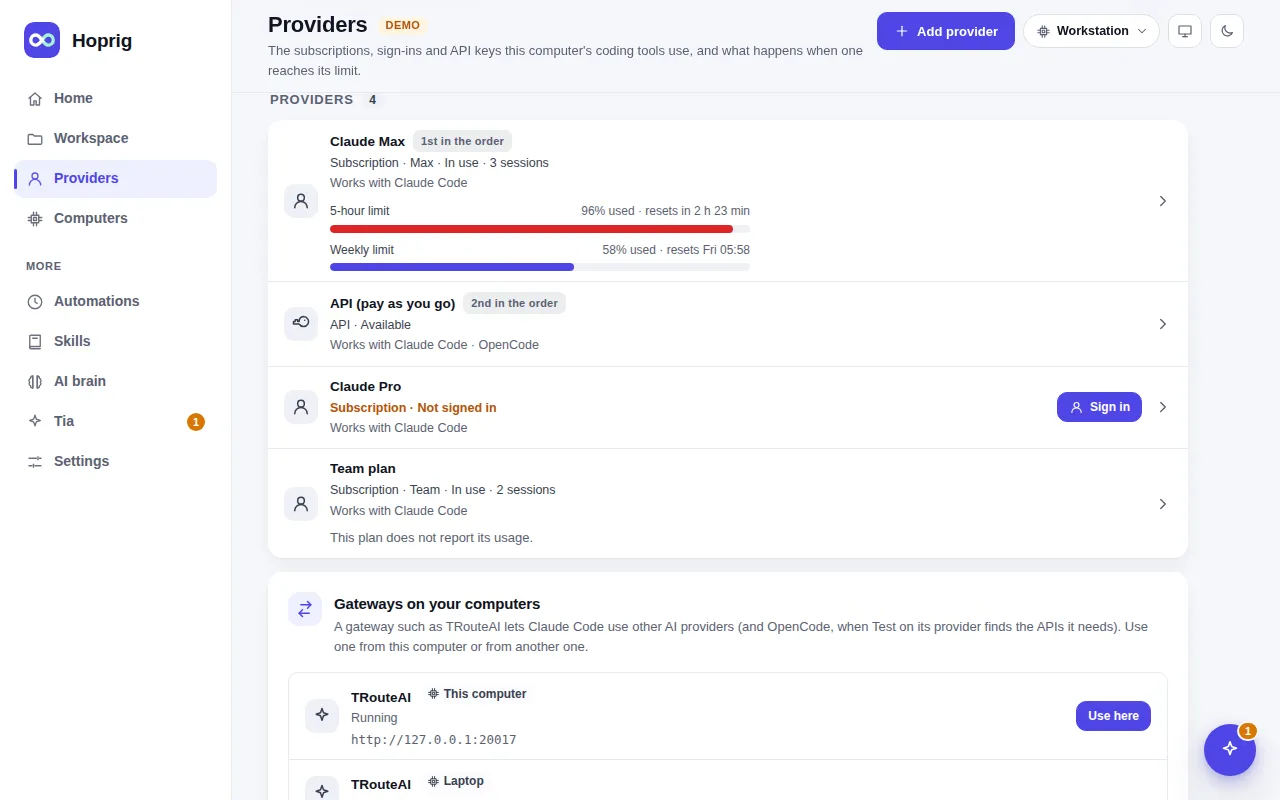
Claude Code's own Remote Control needs a claude.ai subscription and does not work with an API key or a gateway. Hoprig's dashboard does: add the key or the gateway as a provider, and every chat and terminal on it can be driven from your phone's browser.
Who this is for
You run Claude Code on an API key, or through a gateway that routes it to other models or providers. Maybe that is how you get past plan limits, or your company gives you a key.
The problem
The official phone and remote features are built for subscriptions. Claude Code's documentation says Remote Control does not support API keys, and does not work with a gateway set through ANTHROPIC_BASE_URL. So the moment you use a key or a gateway, you lose Claude Code's own remote feature.
What Hoprig does
hop addadds the provider: an API key, or a gateway's address and key. The key stays in a file readable by you only, and is given to the coding tool in its environment when it starts, never written into the tool's own files.- New session, pick the project and that provider. The chat looks and works the same as on a subscription: the diffs, the OKs, the terminal one tap away.
- Reach it from your phone with the QR code, or from anywhere with the public link (Settings → Public link).
- A gateway on another of your computers: Providers → Gateways on your computers lists every gateway on every linked computer, and Use here makes one a provider of this computer in one step. The other computer gets a key of its own; the gateway keeps its own key.
hop addonsinstalls an optional add-on gateway that lets Claude Code use other AI providers, andhop gateways add(or Settings → Add-ons → Add a gateway) defines another gateway program of your own, which Hoprig runs only after you confirm it.- OpenCode, the second coding tool, runs on API keys and gateways that speak its API, with the same rules, skills and memory as Claude Code.
What you need
- An API key, or a gateway's address and key.
- A computer with Linux that stays on while you work. On macOS its tests run on every change, but the setup's installs and what is new in 0.2 (the chat, the editor, the desktop) have not been run on a real Mac yet.
What it does not do
- An API key costs money for every request; Hoprig does not change that.
- Plan usage and limits show only where the provider reports them.
- Cloud providers such as Amazon Bedrock or Google Vertex are not described in Hoprig's docs yet.
- A Claude subscription is never given to OpenCode or to any other program: OpenCode runs only on API keys and gateways.