How do I keep many client projects apart when I code with AI?
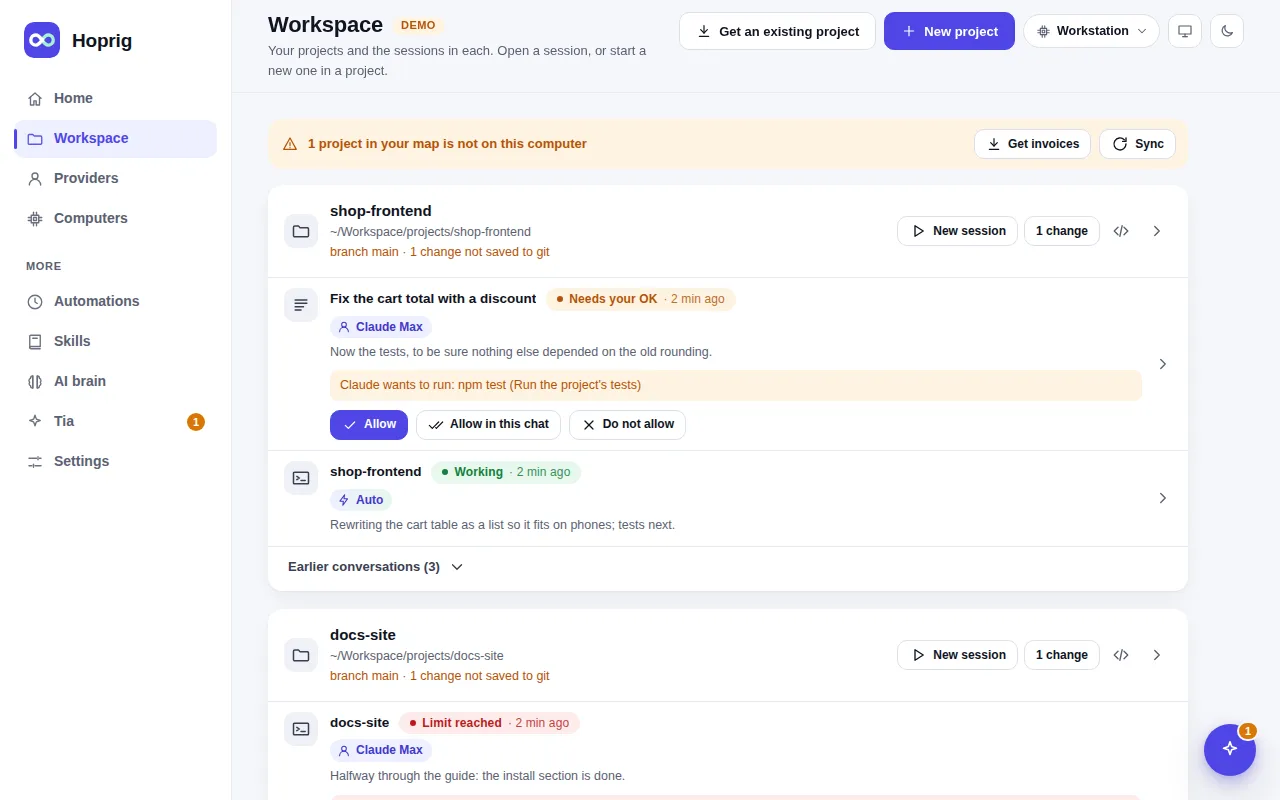
Give each client project its own folder with its own rules, AI memory and repositories, and keep only the ones you work on now on your computer. Hoprig makes or fetches such a project with one command, opens each one with the provider and coding tool of its last chat, and shows every session of every project on one page.
Who this is for
You build for several clients. Each has its own repositories, conventions and, sometimes, its own API key. Client work must not mix, and you want to pick up any project quickly.
The problem
People ask how to "manage multiple client projects with Claude Code" or want "separate AI memory per project". With everything in one big folder, the rules of one client leak into another, and an old project's memory confuses the new one.
What Hoprig does
hop project new acme-shopmakes the project's own folder: its rules inAGENTS.md, its AI memory, its docs and decisions, and its code repositories undercode/. Orhop project clone acme/shopfetches an existing one with all its code repositories and its memory, and offers the dependency installs.- Each project's memory lives in that project's own repository, so nothing carries over from one client to another.
- New session in a project opens with the provider, mode, model and effort of the last chat there, so once you have used a client's own key in that project, it is picked again next time. It is a remembered choice, not a lock: you can still pick another provider.
- The Workspace page lists every project with its sessions under it; each project's own page shows its sessions, repositories and skills.
- When the work is done:
hop project status acme-shopshows uncommitted changes and anything not pushed;hop project sync acme-shop --memorycommits the memory and pushes what is only ahead. Then you can delete the folder. A workspace map that named the project keeps its address (hop workspace mapwrites it), sohop workspace restoregets it back the day the client returns, andhop project clonewith its address does too.
What you need
- Access to each client's repositories from your computer.
- A provider per client if they pay for their own AI usage:
hop add.
What it does not do
- Hoprig has no command that deletes a project folder; that step is yours, after status shows nothing is left to push.
- The provider of a project is the one its last chat used, not a lock. You can still pick another one.
- No time tracking or billing.
- Keys stay in the
credentials/folder and the provider files; keep each client's keys apart yourself.