I am not a developer. How do I start building with AI on my own computer?
Paste one line into a terminal and Hoprig sets up the rest: the programs coding needs, a sign-in to GitHub (a free site that keeps your project's history safe), Claude Code and a first project, asking you a few questions, each once. Then you build by chatting with the coding tool in a web page, where you see each change and press Allow or Do not allow.
Who this is for
You have an idea for an app, a website or a tool. You have heard that Claude Code can build it. You are not a programmer, and you have never set up a computer for coding.
The problem
Most guides start with "install Node.js, install git, sign in to GitHub, open a terminal". Each step can go wrong, and you do not know which error matters. People ask things like "how do I set up a computer for vibe coding from scratch" or "I am not a developer, how do I start with Claude Code". The set-up is the wall, before any building starts.
What Hoprig does
- You open the Terminal app (on a Mac: Terminal; on Linux: any terminal) and paste one line. It installs what is missing, after asking you once: Node.js (the program that Hoprig and Claude Code run on) and Claude Code itself.
hoprig setupruns by itself after the install. It shows what the computer already has, lists what it will add, and asks once. What is already there is left alone.- It asks a few plain questions: who may open the dashboard (pressing Enter makes it reachable from devices on your network, such as your phone on the same Wi-Fi, over plain http, which is not encrypted, behind its password; choose 1 to keep it on this computer only), whether to sign in to GitHub, and the name of a first project. Each one can be skipped and done later.
- If you are not signed in to Claude yet, it says so in one line. Type
claude, then/login, and sign in in the browser. - At the end you see a QR code, a square pattern that your phone's camera opens as a link. Scan it to sign your phone in, or open the dashboard on the computer. Until everything is set up, Home shows a Get started list of what is done and what comes next.
- Press New session, pick your project, and describe what you want in plain words. Every change shows the lines it removes and the lines it adds, with Allow and Do not allow buttons.
curl -fsSL https://raw.githubusercontent.com/allswebtech/hoprig/main/install.sh | sh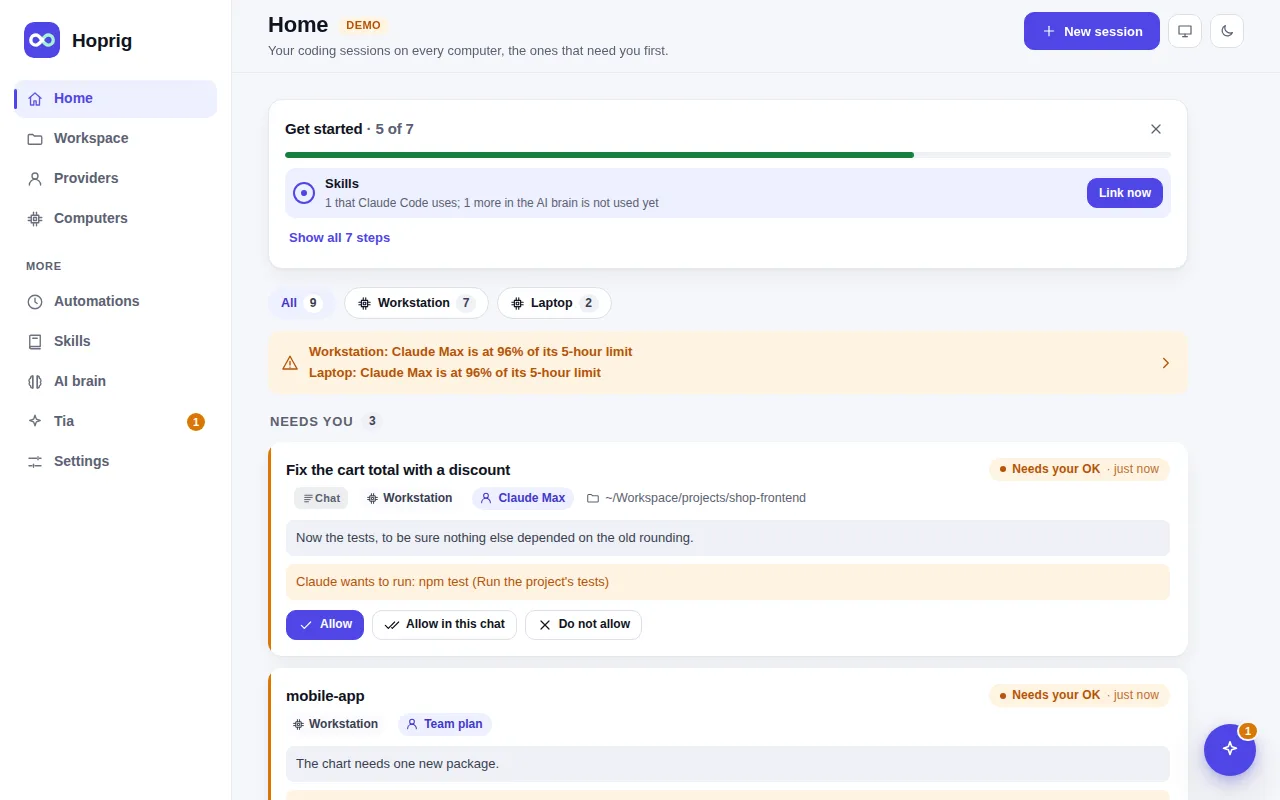
At any time, hoprig doctor checks everything and says, under each problem, the one command that fixes it. It changes nothing by itself.
What you need
- A computer with Linux, and an internet connection. On macOS its tests run on every change, but the setup's installs and what is new in 0.2 (the chat, the editor, the desktop) have not been run on a real Mac yet.
- A Claude plan (or an API key) for Claude Code itself. Hoprig is free; the AI is not.
- A GitHub account is useful (it is free) so that your project is kept safe in git. You can skip it at first.
What it does not do
- Windows is not ready yet. Its code is written, but the tests do not pass on Windows.
- It does not teach you to code, and it cannot make the AI's work correct. Read what the chat says it did, and try the result.
- You still need the terminal once, to paste the install line.
- An install on a real Mac has not been run yet; Linux installs were run on clean Ubuntu, Debian and Fedora.