# Usage limits and providers
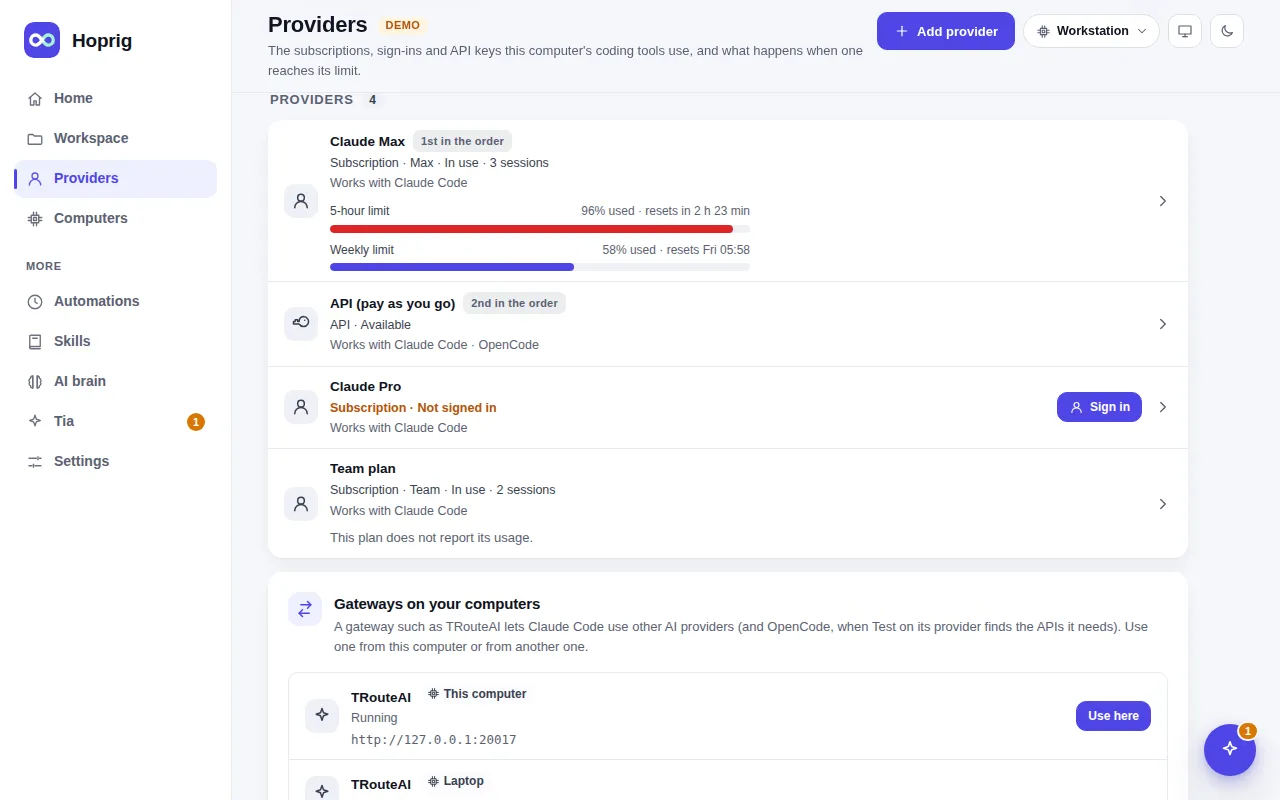
A provider is a small file of settings (a profile): a Claude subscription, an API key or a gateway. Claude Code
keeps a session as a file named after its folder, and takes its provider from the environment it starts in, so
the same conversation can be continued under any provider.
```sh
hop # choose a provider, then start Claude Code
hop add # add a provider: a Claude subscription, an API key, or a gateway
hop work -c # continue this folder's last session on the provider "work"
```
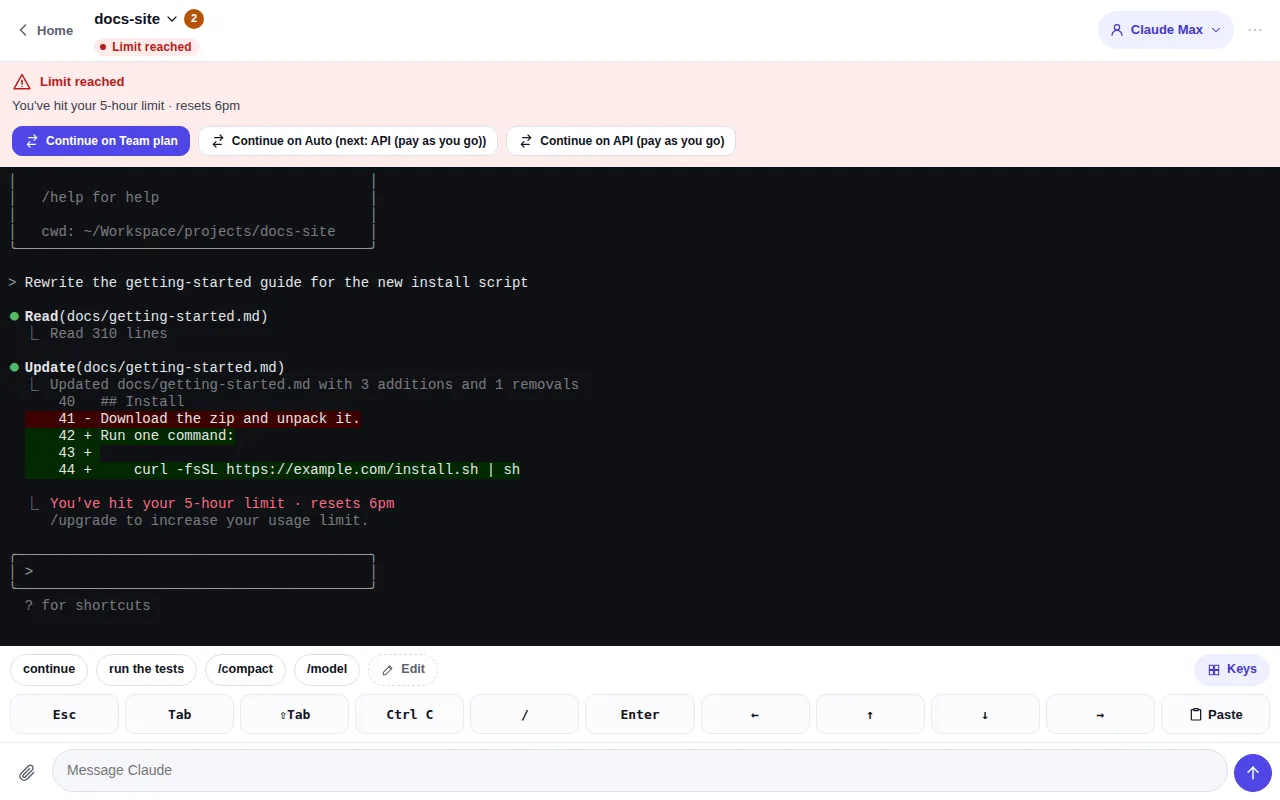
At a limit, a chat or a session says so and offers the other providers: one tap and the same conversation goes on
there (a chat's provider chip, or **Move to another provider** in a session's menu, does the same at any time).
When Claude Code exits in a terminal, Hoprig asks whether to continue on another provider.
A provider that uses Claude Code's own sign-in can also go on with another Claude account of yours, as `/login`
does: **Sign in with another Claude account**, on the limit card, on Home and on **Providers**. You sign in in the
browser (from a phone: a link and a code); until that is complete the account of now stays. The provider's own
page shows who is signed in and has **Sign out**. A new account has its own limits, so the provider's limit mark
goes when the account changes. See [Is this allowed?](/docs/is-this-allowed/)
## Another gateway
A gateway is a program on your computer that offers other AI providers (OpenAI, Gemini, OpenRouter, a local
model…) through Claude's API, so Claude Code can use them. Hoprig ships one as an add-on, TRouteAI:
`hop addons setup trouteai` installs it, starts it and makes its provider, and **Providers → Add provider → Other
providers** does the same on the page. Any other gateway can be added as a definition of your own:
```sh
hop gateways # the gateways Hoprig knows, and yours
hop gateways add relay --title Relay --port 20100 --bin /opt/relay/bin/relay --args "--listen=127.0.0.1:PORT"
hop addons setup relay # start it and make its provider
hop gateways confirm relay # after you updated its program: run it as it is now
hop gateways remove relay
```
A definition has a short name (lower-case letters, digits and `-`), a title, a port (1024 to 65535, free when it is
added), either the program (its full path, or a name found on PATH) or the npm package Hoprig installs and updates it
with, the arguments that tell it the port (`PORT` stands for the port; only letters, digits and `. _ = : , @ / + -`),
and the path of its own page if it has one. It is kept in `config.json` under `gateways` → `defined`, and checked
again whenever it is read.
A program is pinned when you add it: a name is looked up on PATH then and a link is followed, and what is kept is the
file itself with a fingerprint (sha256) of it. The file and its folders must be ones only you (or the system) can
change, outside the workspace. On a Mac, Homebrew lets every admin user of the computer change its folders, so a
program installed with brew is refused: copy it to a folder only you can change (such as `~/bin`) and add it from
there. Hoprig runs exactly that file; once it changes (an update of the program too), it does
not start it until you confirm it again: `hop gateways confirm relay` shows the file as it is now with its fingerprint
and asks as `add` does, or **Confirm the new program** on its row in Settings → Add-ons. The definition, its sharing
and the keys of other computers stay as they were. Hoprig also keeps the program as you typed it (a name on PATH, or a
link): when an update moves it (a new version in a new folder, the link moved there), confirm looks that up again and
shows the file it leads to now beside the one you confirmed. A gateway added before Hoprig kept that is named again with
`hop gateways confirm relay --program `. `hop gateways` and the page say when a program changed. The program of an npm package is the one npm installed globally for that
package; a copy of that name earlier on PATH (a project's `node_modules/.bin`) is not run.
**It is a program Hoprig will run**, as your user, whenever you start it or a session on its provider needs it.
So you add it yourself: `hop gateways add` shows the exact program and arguments and asks in your terminal for the
dashboard's password (y/N while there is none; it refuses without a terminal and in a shell that a coding tool or the
dashboard started), and **Settings → Add-ons → Add a gateway** shows them and asks the same on the page. The
assistant's tools cannot add one. Nothing of it goes through a shell. This guards against a mistake and against a
coding tool trying it in passing, not against a program of your user that sets out to: such a program can edit
`config.json` itself, as it can any of your files.
Once added it is an add-on like the shipped one (`hop addons start | stop relay`); with more than one gateway,
**Other providers** first asks which one.
## Auto mode (Claude Code)
```sh
hop auto order sub api # your subscription first, then an API key
hop auto on # off at first: an API key costs money
hop auto # start a session in Auto mode
```
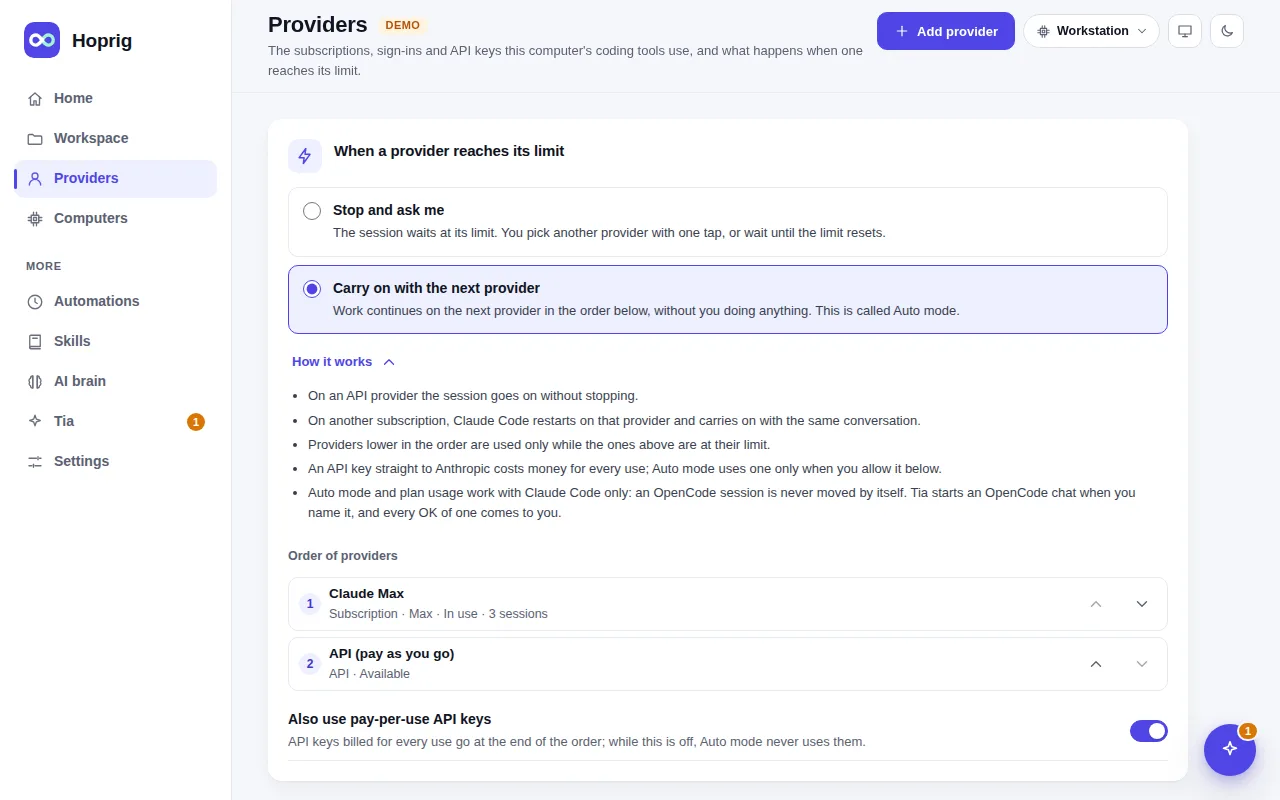
In the dashboard: **Providers**, then under **When a provider reaches its limit** choose **Carry on with the next
provider** and put the providers in order. A chat or a session on the provider "Auto" then talks to a small
router on your own computer: your subscription answers as long as it can, and the moment it reaches its limit
the same request is answered by the next provider, with no error on screen and nothing to type. When the
subscription is free again, requests go back to it.
Good to know:
- The first request after a move re-reads the whole conversation on the new provider. On an API key that is paid
at full price; `/compact` first keeps it small.
- When the next provider in the order is another subscription, Claude Code is restarted as that subscription (a
few seconds) instead. See [Is this allowed?](/docs/is-this-allowed/)
- Claude Code's own Remote Control does not work through a router or with an API key; the Hoprig dashboard is the
remote for those sessions.
---
This page on the web: https://hoprig.com/docs/usage-limits/ · Every page: https://hoprig.com/llms.txt